Official · NVIDIA Updated Oct 22, 2026
Quick answer — Geforce Reward
The CONTROL Resonant GeForce Reward is an exclusive free in-game cosmetic item — the Third Ice Baseball Cap (also known as the NVIDIA cap). Eligible PC players can claim a single-use redemption code inside the official NVIDIA app while promotional supplies last, and then redeem that code in-game on PC via Steam or the Epic Games Store by navigating to Options → Gameplay → Enter Redeem Code.
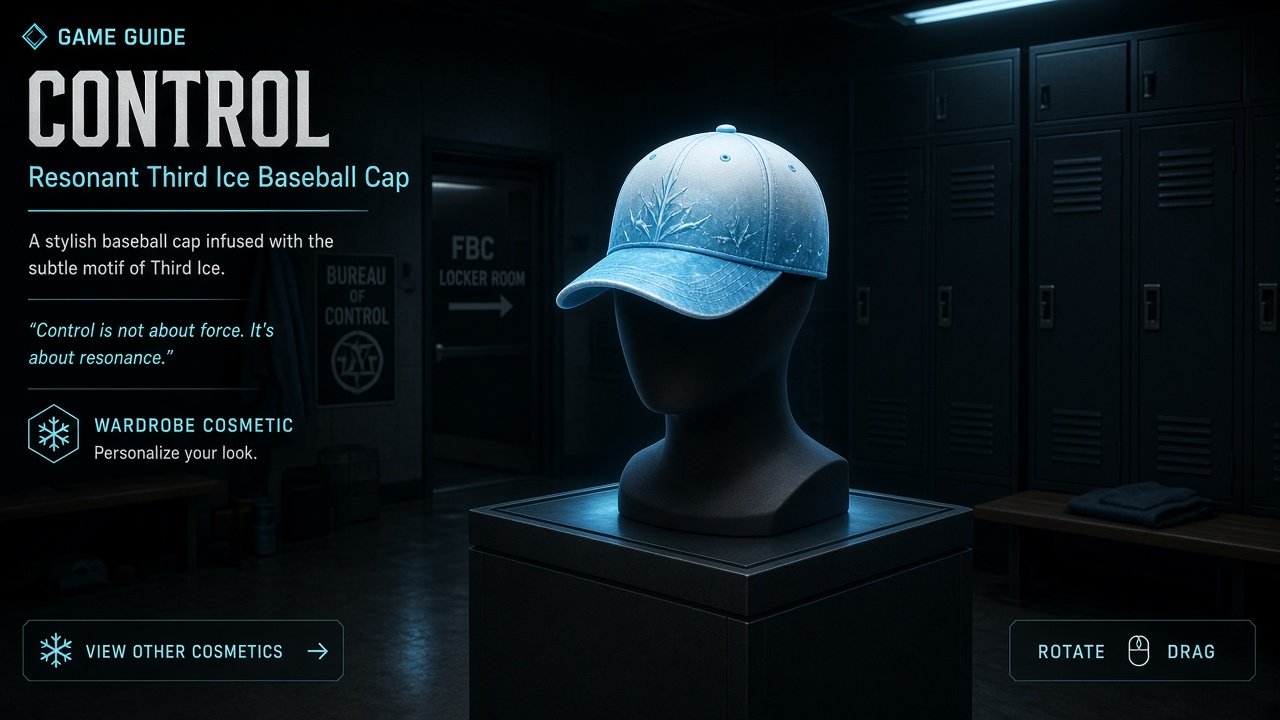
Step-by-step: How to claim the code in the NVIDIA app
To claim your promotional code, you must use a Windows PC equipped with a qualifying NVIDIA graphics card and have the updated NVIDIA app installed:
- Launch your web browser and sign into or create a free NVIDIA Account.
- Download and install the official NVIDIA app on Windows 10 or Windows 11 (replacing the legacy GeForce Experience software).
- Open the NVIDIA app, sign into your NVIDIA account, and select the Redeem tab from the left-hand navigation menu or profile icon.
- Locate the CONTROL Resonant — Third Ice Baseball Cap reward tile and click Claim.
- Copy the generated 16-character alphanumeric redemption code to your clipboard or write it down carefully.
Note: Per NVIDIA GeForce Rewards terms, eligibility requires a system powered by a GeForce GTX 10-series GPU or newer on Windows 10/11. Quantities are limited and granted on a first-come, first-served basis while promotional supplies last.
Where to redeem your code inside CONTROL Resonant
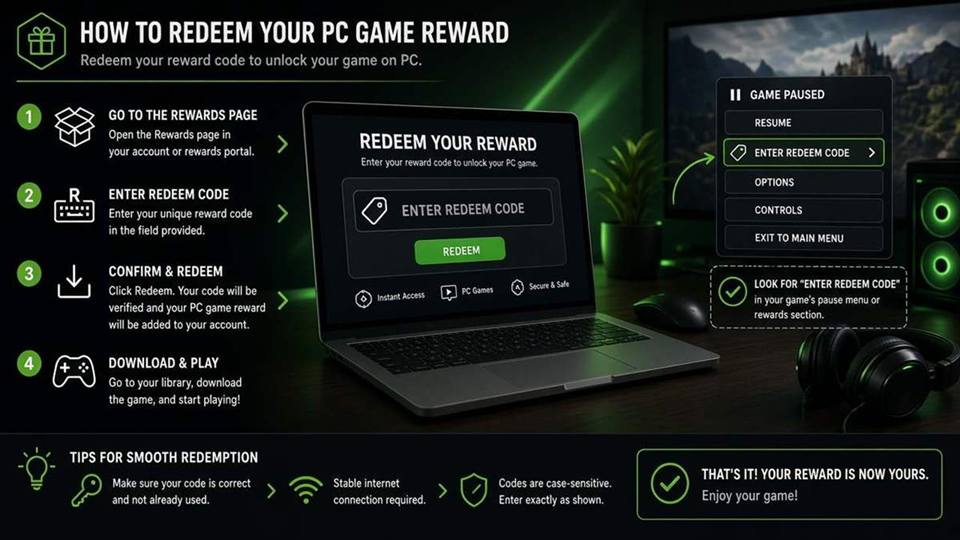
Once you have claimed your unique code from the NVIDIA app, redeem it directly inside the game on your PC:
- Ensure you own CONTROL Resonant on Steam or the Epic Games Store (PC storefronts only).
- Launch CONTROL Resonant and reach the main title menu (or pause menu during gameplay).
- Navigate to Options and select the Gameplay tab.
- Scroll down to the bottom of the menu and select Enter Redeem Code.
- Paste or type your 16-character code into the prompt and click Submit.
- Upon confirmation, the Third Ice Baseball Cap will be permanently tied to your save profile. You can equip the hat from the Wardrobe after completing Act 1 story progression.
Troubleshooting & common redemption issues
If you encounter errors while claiming or redeeming your reward code, review these common fixes and platform rules:
- Console Restrictions (PS5 & Xbox Series X|S): NVIDIA’s official redemption path is restricted exclusively to PC versions (Steam and Epic Games Store). PlayStation and Xbox console platforms cannot redeem these GeForce Reward codes.
- “Code Already Used” or Invalid Code Errors: Each GeForce Reward code is strictly single-use. Do not attempt to use public codes shared on community forums. You must generate your own personal code inside the NVIDIA app Redeem tab.
- Missing “Enter Redeem Code” Option: Verify that your game client is updated to the latest patch version on Steam or Epic Games Store. If the menu option is missing, restart your client and verify game file integrity.
- Can’t Find the Cap in Inventory: The cosmetic Wardrobe feature does not unlock until you clear the Act 1 prologues and establish your safe area. Check our outfits and Wardrobe guide for character customization details.
- Confusing Bundles: If you purchased a new graphics card expecting a free copy of the game, verify whether you qualified for the RTX 50 graphics card bundle rather than the GeForce Rewards cosmetic drop.
GeForce NOW Cloud Gaming & Membership Notes
Players accessing CONTROL Resonant via the GeForce NOW cloud gaming service can also display the Third Ice Baseball Cap, provided their linked Steam or Epic Games Store account has redeemed the code. Note that playing via GeForce NOW does not grant a game copy — you must still own the base game on Steam or Epic. Furthermore, GeForce NOW Premium / Ultimate membership perks are distinct from GeForce Rewards giveaways; always check the Redeem tab inside your local NVIDIA app installation.
Frequently asked questions (FAQ)
What is the Third Ice Baseball Cap in CONTROL Resonant?
It is an exclusive promotional cosmetic hat featuring NVIDIA branding that Dylan can wear in-game once Act 1 is cleared.
Is NVIDIA giving away full copies of CONTROL Resonant for free?
No. The GeForce Reward offers only the Third Ice Baseball Cap cosmetic item. Full game codes were included separately in the RTX 50 hardware purchase bundle.
Can I claim the GeForce Reward on PlayStation 5 or Xbox Series X|S?
No. The GeForce Rewards redemption system is strictly limited to PC versions on Steam and Epic Games Store.
How long is the GeForce Reward code valid?
GeForce Reward codes must be claimed inside the NVIDIA app and redeemed in-game before the promotional expiration date noted on the reward tile.
What system specs are needed to run CONTROL Resonant on PC?
Check our comprehensive PC system requirements guide and optimal graphics tweaks in our best PC settings guide.
Related guides: NVIDIA RTX 50 promo bundle · Outfits & cosmetics guide · PC system requirements